Creating Advanced Agents with Claude
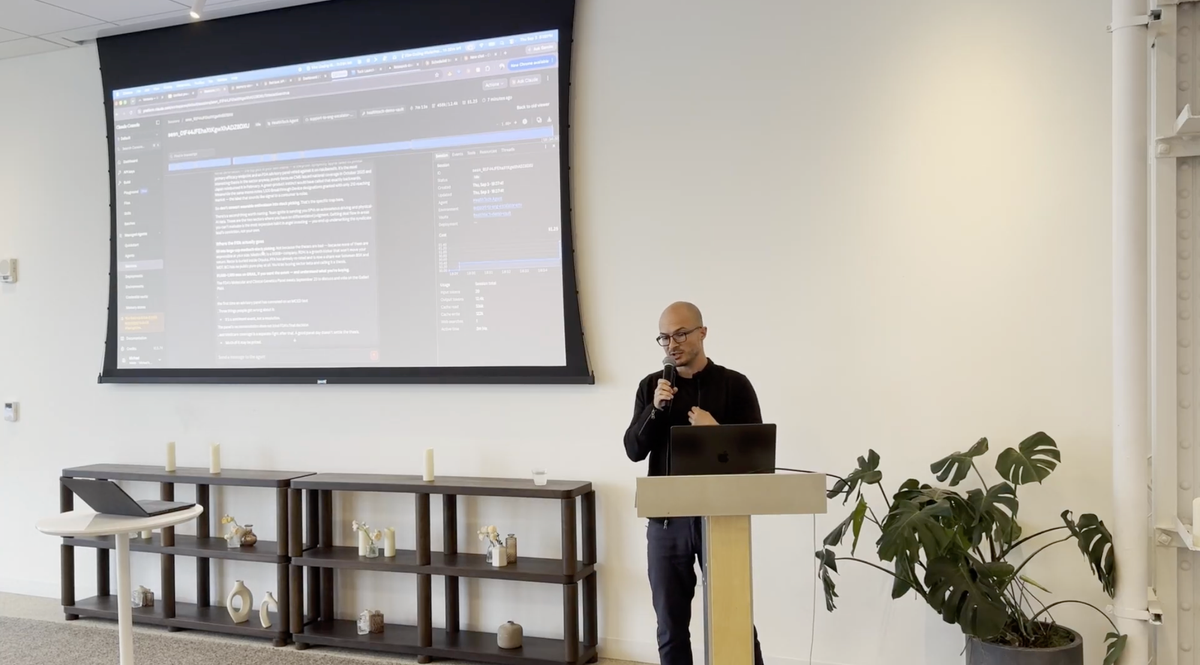
September 3rd, San Francisco CA
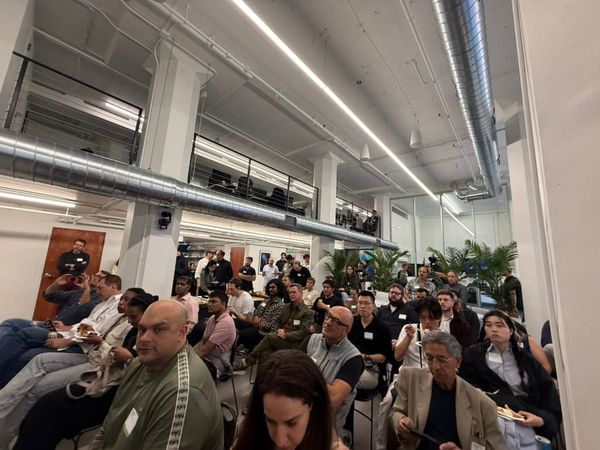
A few minutes into the workshop, Michael Raybman asked a man in the audience for his cup of water, and the man handed it over. "I'm in the middle of a talk," Michael said. "Why would you give me a cup of water right now?" The volunteer's defense was that he was following commands. Michael gave him a new one. The next time he asks for water in the middle of a talk, the answer is no. "Save that to your memory," he added. In two exchanges the room had watched an agent at work. It took an instruction, acted, got corrected, and carried the correction into the next round.
Michael runs Cold Brew CTO, where he embeds with early-stage companies as their first or interim CTO and trains teams to build AI into their daily work. By his site's count he has done the embedded job 22 times, after a few years at Hustle Fund and National Grid Ventures helping more than 200 venture-backed startups with technical problems. He is also a good friend. In March I wrote up his vibe coding workshop, where six people who had never shipped software left with working prototypes, and that piece ended on agents. This session picked up there. Michael drove. I co-hosted, ran tech support for the microphone, and took the screen for a stretch in the middle.
His promise at the start was that anyone in the room could have an agent working inside their own routine that same night, or the next morning if the evening got away from them. We built three, each a step up from the one before: a scheduled task in the Claude app, a managed agent in the Claude Console, and a team of agents in a terminal that set out to start an oatmeal company. This write-up is for friends who could not make it, with enough detail to follow along at home.
We used Claude for everything. Michael sees most workplaces rolling it out, the Anthropic toolset covered every step we needed, and he watches too many people stall on choosing a tool. His advice is to pick one that works, use it, and switch once you know what you like. For the ChatGPT users in the room, he said OpenAI has a close equivalent for nearly everything we showed. A full agent run can take eight to ten minutes, so he had built every demo once earlier that day. On stage he rebuilt each one from scratch and cut to the earlier output whenever the wait got long.
An agent is a model, instructions, skills and a loop
Michael's definition takes one sentence. An agent is an AI model, a set of instructions, a set of skills, and a little code that calls the model again and again. He put a while loop on the screen. As long as a condition holds, the code sends input to the model, takes the output, and feeds it into the next pass. The cup of water was that loop with a person standing in for the model, and his point was that everything we did afterward, however fancy it looked on screen, was the same loop with more tooling around it.
Later someone asked whether the small apps I had demoed counted as agents. Michael's answer was that the word has no formal definition. "As long as you have repeated calls to AI on your behalf, you have an agent."
First build: a scheduled task in the Claude app
The simplest useful agent needs no code. In his regular Claude account, Michael opened scheduled tasks and typed what he wanted in plain English. He follows health tech as a hobbyist and wants to invest more in it, so the prompt went roughly like this:
I have a personal interest in healthcare and want to invest more in the space. To do that, I want to capture info from my own experience, my newsletters, public news about health tech companies, scientific discoveries, interesting stock price moves, and shifts in influencer behavior. Every morning, compile a digest of relevant content from my last 100 emails, judged by subject line, plus recent news headlines, and send it to me. Also run a check three times a day for urgent news I might want to act on or trade on.
Claude asked clarifying questions before it built anything. It wanted to know where to deliver the digest (email to himself), when (8 a.m.), and how high to set the bar for urgent alerts (market-moving only). Then it asked permission to create the schedule. Michael pointed out that none of this scaffolding is AI. It is ordinary software that Anthropic wrote so the rest of us can put the model to work without building an application around it.
When you create the task you choose where it runs. A cloud task keeps running with your laptop closed. A local task can reach the files on your machine and fires only while the computer is awake and the app is open. Michael's rule, for this and for software in general, is to use the simplest option until you have a specific reason to complicate it, which means cloud first. His reasons for going local are big coding projects that need a local database and client files that cannot be uploaded anywhere.
The first hand up asked what everyone was thinking, which is whether it is wise to give an AI read and write access to your inbox. Michael described his own approach as "send it" and said he does not recommend that to everyone. We offered two guardrails. His is to limit the agent to mail carrying a specific label or subject line, so it opens only what you route to it. Mine is in Settings under Connectors, where every Gmail action has its own permission. I allow everything except send. Claude writes drafts, they land in my drafts folder, and I press send myself. Anthropic's documentation adds a third point: a cloud routine includes all of your connectors by default and runs without pausing for approval, so remove the ones the task does not need.
Someone asked whether Claude's drafts sound like him. Michael said no, and that he can always tell. He handles it with disclosure. His email signature says the message was co-written with AI, and when the tag is missing his contacts know he typed it himself.
The second pass at the task added a skill, which is a reusable set of instructions Claude loads when a job calls for it:
I would like to create a skill that condenses prose into very compact language that sounds like texting. I have limited time, so all outgoing messages from this agent should use this skill after the initial text is generated, as a rewrite step prior to sending to me. Additionally, limit the Gmail integration to only read emails sent by [newsletter name]. Filter by subject line. Do not open emails unless the subject line matches.
Claude found the version of this skill he had made earlier that day, noticed the new request was more precise, and offered to update it.
An attendee asked him to translate "rewrite step," and the explanation was one of the most useful of the night. Claude always works in several steps behind the scenes, and Michael names the steps himself when the order matters. Here he wants the agent to read widely and put everything on paper first, what he called "unreadable AI slop of 50 pages," and compress only at the end. The compression step touches wording alone. Filtering any earlier would throw away source material before anyone had looked at it. "Sounds like texting" is his shorthand for brevity, since nobody writes long texts.
He pressed Run now and showed the digest from the earlier identical run, sitting in his inbox.
Second build: a managed agent in the Claude Console
The second build moved to the Claude Console at platform.claude.com, which Michael called the build-your-own-adventure version. In the app, Claude assembles the parts for you. In the Console, each part is a field you fill in, and the result is a Claude Managed Agent, hosted by Anthropic, that you can talk to in the browser or call from your own software through an API. It is pay-as-you-go. Michael's bill for a day of rehearsals was about five dollars.
He wrote a system prompt describing a health tech research partner that knows his background, devices and interests, and that advises him, or other agents, on companies, devices and trends, with attention to culture and science as well as the financials. Then he made the choices the Console lays out.
For the working model he picked Opus 5 and skipped the top of the range on purpose. This agent will be called by him and by other agents through the API, and every call draws down his balance. Then he added an advisor, which he called one of his favorite Anthropic features right now. You name a stronger model, the agent consults it at hard decisions, and the cheaper model does the rest of the work. He set Fable 5.1, which he said had launched the day before, as the advisor. Work that used to go through plan mode, he said, can now go to the advisor, and in Claude Code the same feature is the /advisor command.
He attached the texting skill from the first build and Anthropic's PDF skill. The built-in tools, which let the agent run code in its own sandbox, were set to always allow. His advice for everyone else was to start on always ask and loosen it once you trust what the agent does.
Gmail came in as an MCP server, which prompted a detour worth repeating because the acronym scares people off. MCP stands for Model Context Protocol. In Michael's telling, an MCP server is a plain old API server that describes its menu of actions in a form an AI model can read and call. Connecting Gmail over MCP is the permission we granted in the first build with its engineering name attached. Someone in the audience compressed it further: "It's the WhatsApp for agents."
The difference Michael stressed between the Console and the app is that you manage the agent's memory yourself. He created a memory store, a set of notes that persists across sessions, and wrote the first entry by hand. It says he owns a Garmin and a Whoop and shifts his screens to red at night. The agent got read and write access, so it can consult the notes and add to them.
Then the new agent refused to start a session. Michael switched to the identical agent he had built earlier that day and left the debugging for later. He had warned us at the start that he would fail a few times and that watching it happen was part of the lesson, because this work is experimental by nature.
He asked the agent which health device to buy next and whether he owns enough tech to evaluate his health. The Console showed each step as it ran, including the emails it opened, the commands it executed in its sandbox, and the tokens it spent. An attendee noticed it was reading the whole inbox and asked what had happened to the newsletter-only rule. Michael's answer was that the rule belonged to the first agent and this one had been built from scratch, and that if it had been meant to carry over, this log is where he would go to debug it. His habit while developing is to read the trace and check each instruction against what the agent did.
The agent told him he has more than enough health tech, too much of one kind and none of another, and that his highest-return purchase was one he had already made, a lab-testing membership he has paid for since about June with the annual blood draw still unbooked. It had worked that out from his inbox. It went on to suggest a blood pressure cuff, an over-the-counter glucose monitor and a chest strap. Asked where to put $10,000 in health tech, it opened by telling him he is not an investment expert, steered him toward index funds, and only then offered a specific idea.
An agent built this way lives in the cloud behind an API. With his permission, any app or any other agent can call it and get answers grounded in his context, and the finale used that.
Asked what else is worth connecting, Michael said he keeps his most private data out of hosted AI. For something like blood work he suggested a privately hosted model with a local database such as DuckDB. Day to day he connects Notion, where his calendar and tasks live, and asks Claude for things like three blocks of deep work this week on named projects, scheduled around his meetings, with a text message if it cannot find the time.
My part: a folder, a terminal and Claude Code
Michael handed me the screen for the middle of the session. I started by admitting that I do not want to keep track of all those windows, so I asked Claude how to get the same results without them. My setup is a folder, a terminal and Claude Code.
I keep data in folders. When a job is too big for a chat window, I right-click the folder, open a terminal there and start Claude. The live example was an AI infrastructure conference. I had asked Claude to download every presentation from the event site, hundreds of megabytes of files. On stage I dictated one request: every speaker's name, their session and a short description of what they presented. I told the room it was a $5 to $10 press of the enter key and let it run. By the end of my segment there was a spreadsheet with every name, company and a relevance note.
I dictate nearly everything with Superwhisper, which keeps a history of what you have said, so nothing is lost when a text box eats your prompt. Wispr Flow does a similar job. I pay $200 a month for Claude and run the most capable model at the highest effort by default. When a run costs more than I expect, I ask Claude about that too. Once the answer to "why did you just spend $20?" was that every subagent it had spawned was running on the most expensive model. I asked what it recommended, it proposed a cheaper model for the subagents, and I told it to go ahead.
The rest was a tour of small apps I had Claude build whenever something annoyed me. One sets the brightness of all four of my monitors at once. One runs my laptop fans at full speed, because the keyboard gets hot and I would rather hear fans than feel it. One watches my two home internet connections and tells me which line I am on and whether it is steady enough for a call. A Whoop dashboard pulls from their API and gives me one line about today, without the badges. A memory gauge watches a laptop that has 64 GB of RAM and still finds ways to slow down. A notifier blinks my screens when Claude finishes or needs input. The last one was a space game that started in 2D and ended with a 3D warp tunnel.
Claude can also drive a browser. I asked it to sign me up for Clear, watched it click through the forms, and took over at the payment page to enter my card.
Michael's comment was that those demos probably sit on more code than an engineering team he might have hired a few years ago would have written in a year, and that I generated most of it in about a month. What I told the room is what I would tell you. You do not have to be a genius. You need to know how to open it and ask it questions.
Someone asked whether to work my way or Michael's. He said the terminal gives you complete freedom and the hosted tools have limits, and "if you don't know what they are, then they don't matter." Start simple and move when you hit a wall. My version is to start anywhere, and when you get stuck, ask Claude why you are stuck. Michael's takeaway from my folder habit was that the data you feed an agent matters more than the list of apps you connect to it.
Which model for which job
Someone asked for guidance on matching models to tasks and acknowledged that any answer has a shelf life. Michael's formula has three tiers.
Summarizing and classifying are what these models were first built for, and small models do them well. Pulling every row from a spreadsheet where revenue beat last month's needs no frontier model, and he would go as far down as Haiku 4.5, which is cheap. Basic web research belongs in the same tier, since scraping pages and extracting fields is classification work. The middle tier, a Sonnet-class model today and Opus 5 as its price comes down, handles writing that needs a human register and moderately complex decisions. Planning and the organization of complex systems always get the newest frontier model, because mistakes at that stage are the expensive ones. The advisor setup from the second build follows the same logic. A cheaper model does the volume, and the best one gets consulted where a wrong turn costs the most.
Context is temporary, data persists
A question about why things get lost between chats produced the cleanest distinction of the evening. Context is what the model holds during one conversation, and it disappears when the session closes. Data is everything that persists and can be consulted from any session, such as the memory store in Michael's Console agent or the folders on my laptop. Ask which company in a folder has the most revenue, close the window and open a new one, and the context is gone while the data is still there.
My low-tech version for the terminal is to have Claude keep a markdown file of everything important. At the end of a session I say "wrap up," it writes down what matters, and it reads the file at the start of the next one.
Third build: a team of agents and an oatmeal company
Michael closed with a friendly poke at a kind of LinkedIn post we have all seen, where someone hires ten agents and reports $10 million in revenue ten days later. He posts on LinkedIn too, he said, so be nice when you see his. Then he tried it live.
The tool was cmux, a Mac terminal built for running several coding agents side by side. Its cmux claude-teams command starts Claude Code in agent teams mode, where one session leads and the others work in their own panes and message each other.
The business idea came from a real annoyance. Instant oatmeal comes in cylinders, and cylinders pack badly in a bag. He dictated a prompt for a company that sells instant oatmeal in small rectangular packs. It asked for research on materials, pricing and sales channels, an e-commerce site, a Stripe account to collect payment, and separate agents for coding, marketing and operations, with the marketing agent told to consult the health tech agent from the second build. He ended with "I want to make millions tonight." Someone in the room added "make no mistakes."
A run like that takes about half an hour, so while the new team spun up he showed the result of the same prompt from that morning. The agents had named the company Tuck, tagline "breakfast that tucks in." They produced a landing page, a research report and launch plan with a diagram comparing how round and rectangular packs fill a box, target nutrition facts for a health-minded buyer, and launch projections. They also built something he had not asked for, a "research desk" page wired to his Console agent. He typed in a question about the second product, and the answer, cold-prep oats, came from the agent we had built an hour earlier. The Console's session log showed the request arriving from the oatmeal company on his laptop. On the live screen, five panes were working under the labels product, finance, market research, engineering and branding.
The part I would keep from this demo is the composition. An agent hosted in the cloud, holding one person's context, answered questions from a team of agents on a laptop that was building something else. Anthropic's documentation labels agent teams experimental and says they use far more tokens than a single session, so treat this build as a preview and start with the first one. Michael signed off hoping that by the next workshop he will have made millions in packaged oatmeal and that each of us will have a few agents running.
A few things to remember
- Start with a scheduled task. One plain-English prompt, one connector and a schedule make a working agent, and Claude asks the clarifying questions for you. Michael's promise of an agent by tonight holds for this one.
- Open your inbox in layers. Limit reading to a label or subject line, keep send turned off, and review drafts yourself. Restrictions belong to the agent you wrote them for, so check each new agent, and strip unneeded connectors from anything that runs in the cloud on its own.
- Collect wide, compress last. Make condensing a named rewrite step at the end, so the agent reads everything before it decides what to tell you.
- Spend on intelligence where mistakes are expensive. Small models for summaries, extraction and web research, a mid-tier model for judgment and tone, and the frontier model for planning, or as an advisor behind a cheaper worker.
- Context is temporary and data persists. Memory stores, folders and a notes file Claude maintains all count as data. What you feed an agent matters more than how many apps it can reach.
- Read what the agent did. Both surprises of the evening, an agent reading a whole inbox and a $20 run caused by subagents on the top model, showed up in the record. When you are stuck, ask Claude why.
Thanks to Michael for building everything twice, once earlier that day and once in front of us, and to everyone who came and asked the questions that shaped this piece. Michael embeds with early-stage companies as a hands-on CTO and runs AI training for teams. You can find him at coldbrewcto.com and on LinkedIn. The full recording is on YouTube: [TBD: video link].
References
- Cold Brew CTO - Michael Raybman
- I Watched Six Non-Engineers Ship Apps in 90 Minutes. Here's What Matters. - The OPTIM Update, March 26, 2026
- Schedule recurring tasks in Claude Cowork - Claude Help Center
- Automate work with routines - Claude Code Docs
- Use Google Workspace connectors - Claude Help Center
- Claude Managed Agents overview - Claude Docs
- Advisor tool - Claude Docs
- Using agent memory - Claude Docs
- Permission policies - Claude Docs
- Choosing the right model - Claude Docs
- What is the Model Context Protocol (MCP)? - Model Context Protocol
- Orchestrate teams of Claude Code sessions - Claude Code Docs
- cmux - manaflow-ai on GitHub