I Watched Six Non-Engineers Ship Apps in 90 Minutes. Here's What Matters.
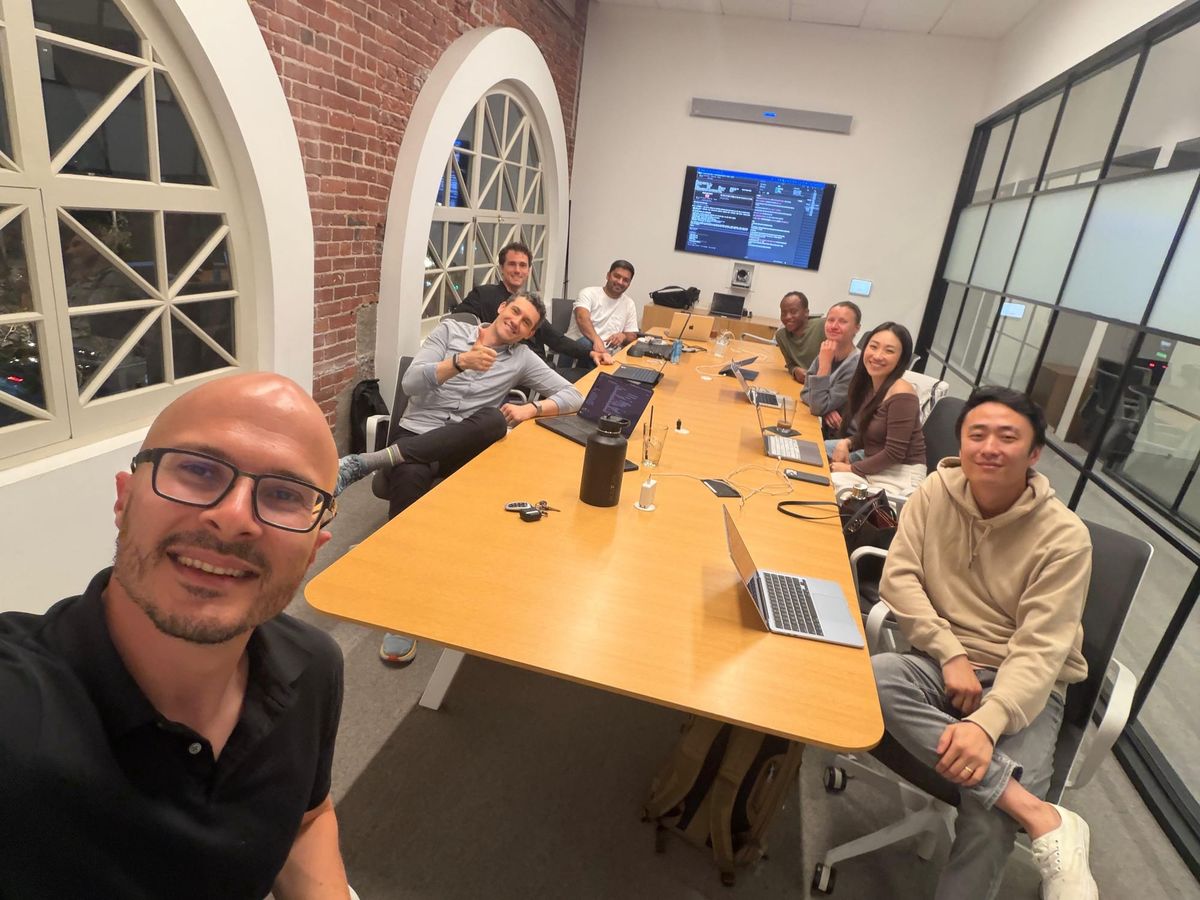
Last week I joined a vibe coding workshop run by Michael Raybman - a builder who's been sitting down with founders, operators, and investors and watching how much product they can ship before they have to call an engineer. The room had a biotech researcher, a dietitian, a product manager, a 3D artist, and a couple of investors. Nobody had shipped software before. By the end of the session, everyone had a working prototype.
Here's everything I took away - for anyone who wants to build, commission, or evaluate software in 2026 without spending six months learning how.
Start with the mental model, not the tools
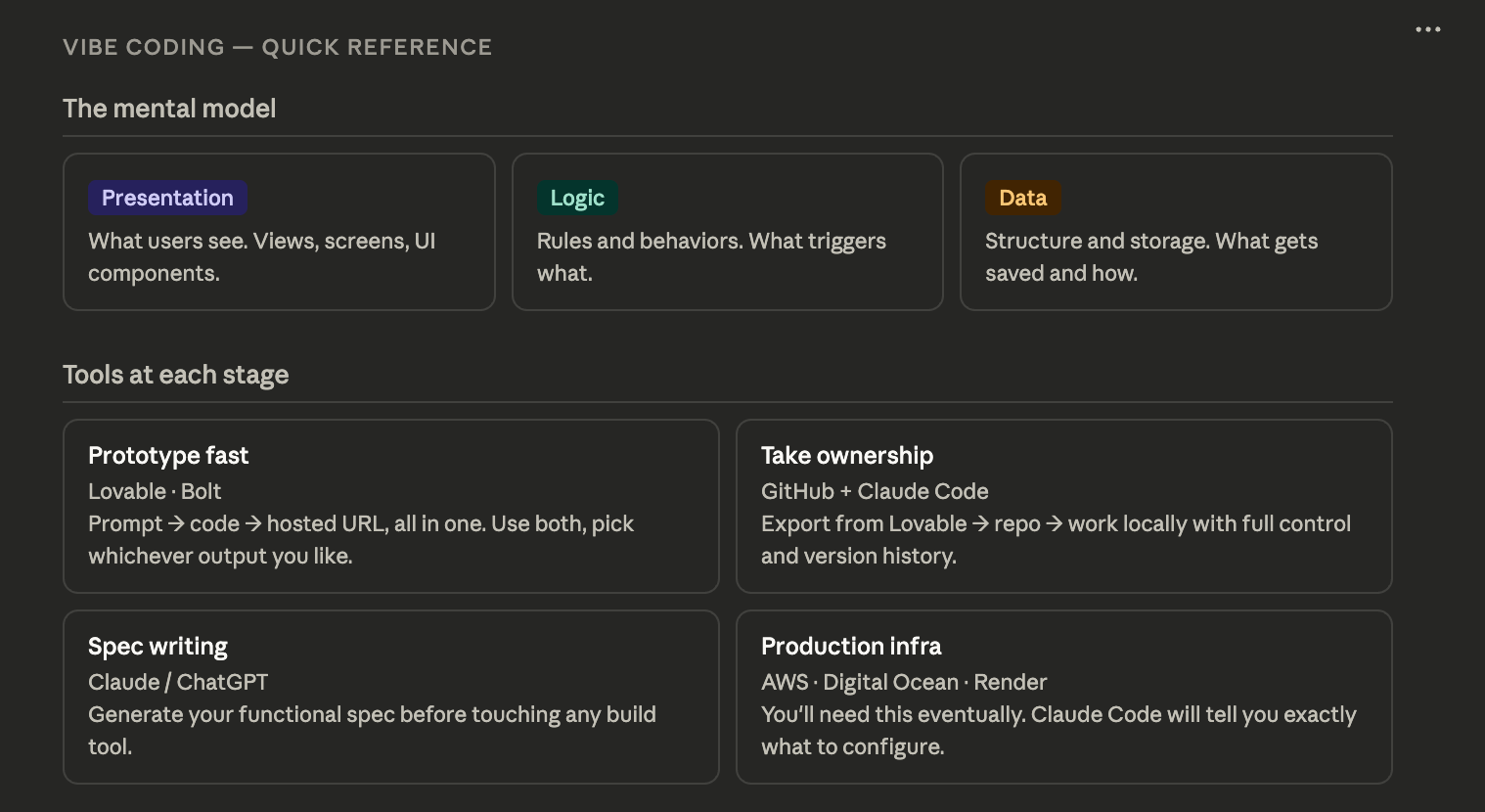
Before anyone touched a keyboard, Michael drew three words on a whiteboard: Presentation. Logic. Data.
That's it. That's the entirety of software architecture.
Every app you use - on your phone, in your browser, anywhere - is some version of these three things working together. The presentation layer is what you see. The logic layer is the rules that govern what happens. The data layer is where information lives and how it's structured. Once you understand this, you stop being mystified by software and start being able to describe what you want to build in terms any tool - or any engineer - can act on.
An API, by the way, is just how one data or logic layer talks to another one that somebody else built. That's all it is. A menu of what that server can deliver, in exchange for a request in a specific format.
What vibe coding actually is
The term sounds playful, but the underlying idea is precise. You're prompting an AI to generate all three tiers of an application - the code for the presentation, the logic, and the data structure - in response to natural language. Tools like Lovable and Bolt take that one step further: they accept your prompt, generate the code via Claude, and provision the hosting infrastructure automatically. One prompt, one button, and you have a live URL.
Think of it as Squarespace, but for fully dynamic web applications. The AI does what used to take a week of engineering work. The non-AI parts - deployment, infrastructure, database provisioning - are just well-built software that those companies wrote to automate the boring configuration work.
The functional spec: don't skip this step
The single highest-leverage thing you can do before prompting any of these tools is write a functional spec. This doesn't have to be a formal document. It's just a structured description of what you want to build, written for an extremely intelligent reader with zero judgment about what you actually mean.
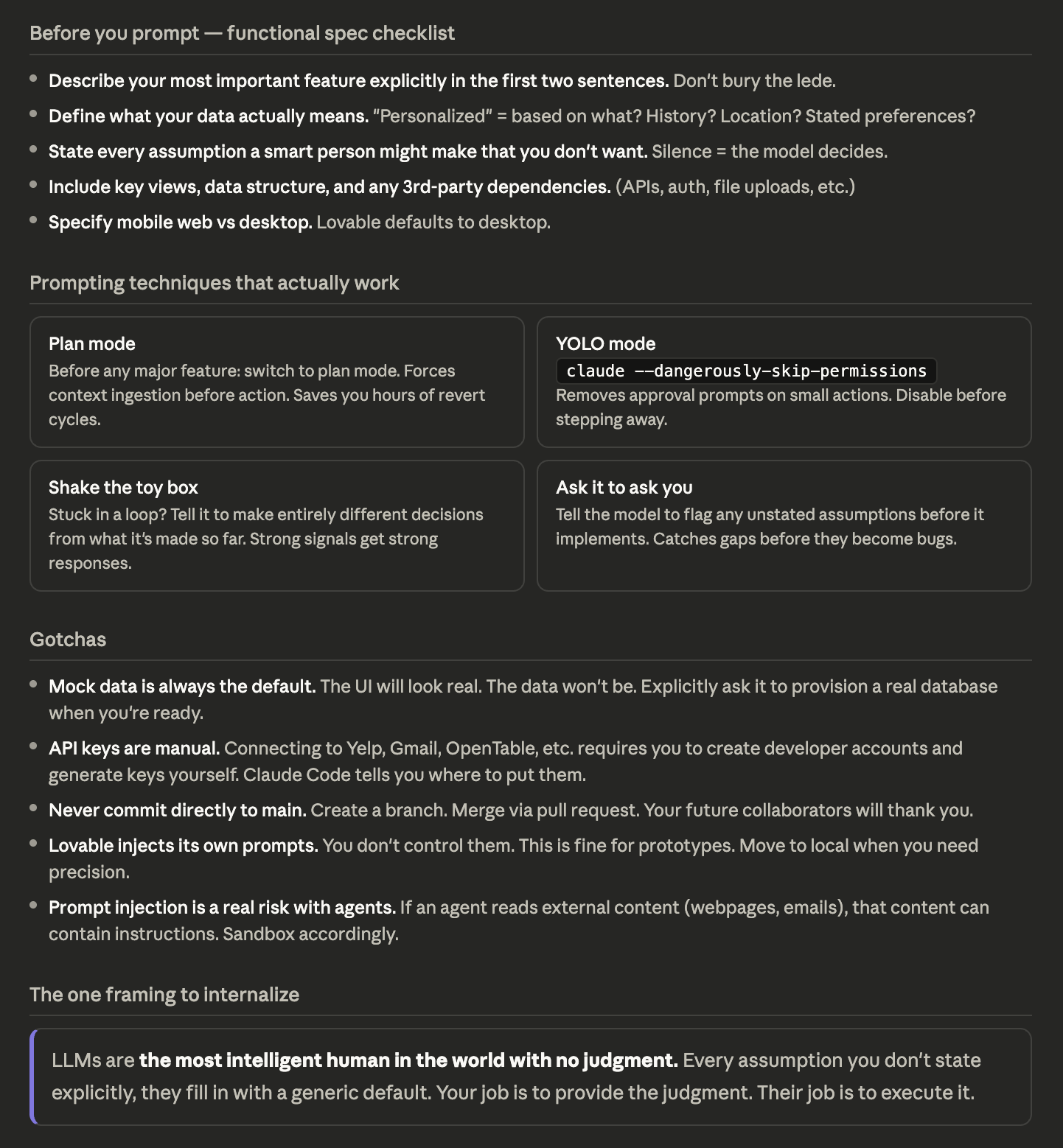
That last part is the key. LLMs are exceptional at inference but terrible at unstated assumptions. If you don't say it explicitly, they'll fill in the gap with a generic default - and you'll spend the next ten prompts trying to undo it.
A functional spec should answer three questions: What does this thing look like (views, screens, layouts)? What are the rules (what can users do, what triggers what)? What data does it need to store and how is it structured?
The most common failure mode Michael showed us: someone's product vision said "recommend restaurants based on my preferences" but never defined what preference means - is it cuisine, price point, proximity, or what you've eaten recently? The model defaulted to generic filters. The founder wanted personalization based on dining history. Those are completely different products.
Before you send your spec, audit the first two sentences. They carry more weight than everything that follows. Make explicit every assumption that a thoughtful human would have inferred but an AI might not.
The tools landscape, as of now
Lovable and Bolt are largely equivalent starting points. Run the same prompt through both and see which output you prefer - they make different decisions and neither is categorically better. Michael uses whichever one the output looks more usable in. That's a fine heuristic.
For getting from prototype to real product, you move the code to GitHub and work with Claude Code locally. This gives you direct control over every file and change, version history, the ability to bring in collaborators, and no dependency on a third party's infrastructure choices.
Claude Code in YOLO mode (claude --dangerously-skip-permissions) removes the approval prompts on every small action. Useful when you're building fast on a small personal project. Turn it off before you step away from the machine.
On the Cursor question: the honest answer from someone building in SF in 2026 is that Claude Code has largely superseded it for most workflows. Cursor used to be the default. It isn't anymore. Use the default tools - there's more community support, more up-to-date training data, and fewer moving parts.
Plan mode is the most underused feature
Before implementing any major feature in Claude Code, switch to plan mode. This forces the model to ingest the entire codebase, develop context for what changes actually need to happen, and surface a plan for your review - before writing a single line of code.
The analogy Michael used: if you tell Claude to "add helicopters everywhere you see a flight," it'll do exactly that, literally. But your app might have business logic that says a specific airport doesn't support helicopters. Plan mode is how you force the model to reason about the codebase as a system before acting on it. It's the difference between a junior employee who immediately starts executing and one who actually reads the brief first.
It takes a few extra minutes. It saves you a lot of prompt-and-revert cycles.
The gotchas nobody tells you
Mock data is the default. Every tool will populate your app with fake data to make the UI look convincing. This is useful for seeing whether the presentation layer works - and then it becomes a trap, because it's easy to think the app is working when it's just showing you pre-loaded examples. Explicitly tell the model to connect to real data, provision a real database, and strip out the mock data when you're ready to move.
The most intelligent human with no judgment. That framing changed how I prompt. Every time you're about to send something, ask: what assumptions am I making that I haven't stated? What would a smart person with no context about my product get wrong here? That audit takes 30 seconds and saves hours.
Aggression works. Not rudeness, but directness. If the model keeps making the same mistake or you don't like the direction it's going, try telling it to make entirely different decisions from what it's made so far. LLMs respond to strong signals. "I hate this, start over with opposite assumptions" is a legitimate and effective prompting technique.
Moving to production requires manual work the tools can't do for you. Connecting to third-party APIs - Yelp, OpenTable, Gmail, whatever your app needs - requires going to those providers, creating developer accounts, generating API keys, and configuring them as environment variables. Claude Code can tell you exactly what you need and where to put it. But you have to go get the keys yourself.
What's coming next
The conversation at the end of the session turned to open-source agentic frameworks (OpenClaw in this context was shorthand for MCP-based agents). The point worth flagging for investors and operators: the individual frameworks are less interesting than the model quality driving them. Claude's current capabilities are what make the agents useful. As model quality improves, agent behavior gets better without any changes to the orchestration layer.
The prompt injection risk is real but manageable. If you're giving an agent access to your files and inbox, it can theoretically be hijacked by content it reads - a webpage with embedded instructions. The mitigation is to be thoughtful about what you connect and to sandbox accordingly. For most personal and early-stage business use cases, the risk is low relative to the productivity gain.
The bottom line
Vibe coding is not magic and it's not a replacement for engineering judgment. What it is: a way to externalize the tedious scaffolding work of building software so you can focus on product decisions. The functional spec is your product thinking made explicit. The tools are a translation layer between that thinking and running code. The gaps - real data, real APIs, production infrastructure - still require judgment and some manual work.
But the barrier to getting a working prototype in front of real users is now measured in hours, not weeks. For anyone who invests in, builds, or operates technology companies, understanding what these tools can and can't do has moved from "nice to have" to "table stakes."
Read more about Michael here: https://www.linkedin.com/in/mraybman/
Cheat Sheet: